Microsoft,Mozilla Hates Chrome Frame

When I first came across Chrome Frame I knew that other browsers will not like it. First Microsoft called Chrome Frame a security risk and now Mozilla has dismissed Chrome Frame as ‘dangerous’ not for security reasons but for confusing internet users.

Mozilla’s Vice President Engineering, Mike Shaver in his blog observes that Chrome Frame will end up confusing people.

mozilla_cf

What exactly are Mozilla’s concerns?
  • Mozilla fears that Chrome Frame running inside Internet Explorer can open a Pandora’s box for web users. They prefer that users were educated about using Chrome browser rather being prompted to download Chrome Frame.
  • Mozilla does not really follow the Microsoft line of argument on security but makes a good point on where this might lead. Their argument is what if there is a Facebook Frame for Facebook connect? A lot of very popular websites might have their own engines run inside other browsers for that extra compatibility for their web applications in the future.
  • Mozilla does not like the idea because this can some time down the line lead people to have 5-6 engines working within one browser and lead to confusion as to who is controlling the internet experience on the browser.
  • Some users with IE6 may not be able to download Chrome Frame because of an old operating system or lack of authority on networks. But then it is debatable if the same users can download another browser anyway.
My take on the argument
  • One key reason Google came up with Chrome Frame is so that when Google Wave is released people can use Google Wave without the need to change their browser.
  • Educating customers on changing over to a new browser is not really easy. Most people agree that Internet Explorer is notoriously slow but it still does have almost 70% of the market.
  • The way Google has planned the roll out of Wave, they will probably look to impact more than half of the internet users in the first year with features and web apps based on Google Wave. Google had no choice but to come up with Chrome Frame rather than ask people to move to another browser. It is highly unrealistic to expect Chrome browser’s market share to go up from 3% to 50% in a span of 12 months. Hence  Chrome Frame was their best way forward.

Links: Computer World | Shaver Blog | Image

Google Adsense Account Banned? See here for how to get a Google Approved Adsense account with your name and address.. See this website for more details. http://googleadsenseaccount.wordpress.com/


If you enjoyed this post, make sure you subscribe to my  RSS Feeds !!

If you enjoyed this post, make sure you subscribe to my E-NewsLetter !!

Also follow me at twitter to know what I am doing.

Posted By: KirubaKaran

Microsoft Certified Technology Specialist

Automatically Set Bing Homepage Wallpaper As Your Desktop Wallpaper

Since Bing launch, it has been featuring an awesome collection of images which change randomly. If you like those images and want to save them to your PC, then there is an easy way to do it.

Kingfisher TibetDesert

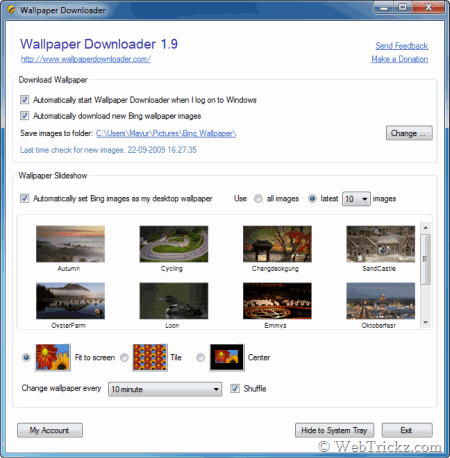
Wallpaper Downloader is a free and small tool that allows you to download all Bing wallpaper images to your computer. Firstly, it will download the past Bing wallpaper images and later on regularly check for new images and download them automatically.

Bing wallpaper downloader

Also, Wallpaper Downloader can change your computer desktop background with the downloaded images in slideshow mode. Bing images are 958 x 512 in size which may not be perfect when set as desktop background.

Download Wallpaper Downloader  (863KB)

Source : www.webtrickz.com

Google Adsense Account Banned? See here for how to get a Google Approved Adsense account with your name and address.. See this website for more details. http://googleadsenseaccount.wordpress.com/


If you enjoyed this post, make sure you subscribe to my  RSS Feeds !!

If you enjoyed this post, make sure you subscribe to my E-NewsLetter !!

Also follow me at twitter to know what I am doing.

Posted By: KirubaKaran

Microsoft Certified Technology Specialist

You Can Run A OS With A Browser

You have seen visual search in Bing, now here’s another Silverlight based site that might leave your impressed.

Windows OS – Made of Silverlight

windows os - made with silverlight

The site is windows4all.com and it feels like you are running an online copy of the Windows operating system in the browser. (Hit F11 to experience in full screen mode)

Windows4all not only replicates the look and feel of a freshly installed Windows Vista desktop environment inside your browser but comes with a variety of applications that are similar to the default applications included with Windows. These include Notepad, Windows File Explorer, Media Player, Calculator, Sidebar gadgets and even games like Solitaire and Spider.

Double click the IE icon on the desktop (or use the Vista start menu button) to fire up Internet Explorer and you’ll be able to browse the internet live inside this impressive Silverlight application.

It also includes a Notepad and when you save text files using this application, you can open the files again the next time you visit Windows4all on the same computer. You can install additional Silverlight applications into the Windows4all interface; you can pick the installers directly from from the internet or upload the files from your own computer into the Web OS.

windows desktop in the browser

If you are a Windows geek who is curious to know how this app was made, go to Codeplex and download the full source code. It would be neat if Microsoft offers some of these features, especially the ability to import Silverlight apps, to Live Mesh in the future!

Source : www.labnol.org

Google Adsense Account Banned? See here for how to get a Google Approved Adsense account with your name and address.. See this website for more details. http://googleadsenseaccount.wordpress.com/


If you enjoyed this post, make sure you subscribe to my  RSS Feeds !!

If you enjoyed this post, make sure you subscribe to my E-NewsLetter !!

Also follow me at twitter to know what I am doing.

Posted By: KirubaKaran

Microsoft Certified Technology Specialist

BING Gets More Attraction

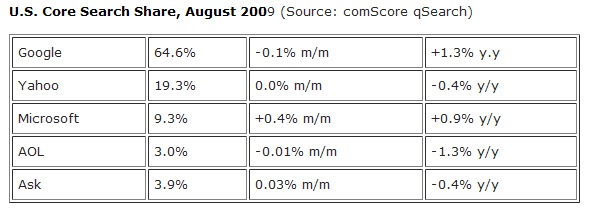
Opsie! Don’t look now but it seems that Microsoft’s $100 million marketing investment coupled with the slew of enhancements and usability features that it is introducing the past couple of months is finally reaping them rewards. And the reward comes by way of an increase of  0.4%  in their U.S. search market share for August.

uscoresearch

That figure may look small in numbers but what makes this sweet for Bing is the fact that it is the only search engine that grew in market share for August, data from comScore revealed (as reported by TechCrunch).

Google’s search query volume in the U.S. decreased by 0.1%, Yahoo’s share did not change .

If we are to add up all the increases in Bing’s search market share since its launch in May, we now have a total of 1.3%. Again it may not be that much but the important thing to note is that it is steadily gaining since then. A  few days ago, Nielsen declared Bing as the fastest growing search engine.

Should Google start worrying about this now?

Google Adsense Account Banned? See here for how to get a Google Approved Adsense account with your name and address.. See this website for more details. http://googleadsenseaccount.wordpress.com/


If you enjoyed this post, make sure you subscribe to my  RSS Feeds !!

If you enjoyed this post, make sure you subscribe to my E-NewsLetter !!

Also follow me at twitter to know what I am doing.

Posted By: KirubaKaran

Microsoft Certified Technology Specialist

New Gmail Error

Trouble grabbing your mail this morning? Google says Gmail's web interface is unavailable to an uncannily familiar "small subset of users." They officially recommend accessing Gmail through an IMAP mail client, among other ways to access Gmail when it's down.

Around 7:20am Pacific time this morning, I noticed Gmail offering a message about being unable to grab my contacts, as shown above (skinned with the Helvetimail script). A friend in Florida sent an SMS wondering what was happening at 10:40, and a few tweets and Facebook messages confirm it's at least a diverse "subset of users" having problems.

Google's Apps Status Dashboard states that an update will be issued by 8:29 Pacific time with more details, and reminds us that Gmail can still be accessed by IMAP clients, as it was the last time this happened. Need a primer on setting up your desktop or smartphone with IMAP? Here's Google's step-by-step instructions.

Share which Gmail work-arounds are working or defunct in the comments.

Google Adsense Account Banned? See here for how to get a Google Approved Adsense account with your name and address.. See this website for more details. http://googleadsenseaccount.wordpress.com/


If you enjoyed this post, make sure you subscribe to my  RSS Feeds !!

If you enjoyed this post, make sure you subscribe to my E-NewsLetter !!

Also follow me at twitter to know what I am doing.

Posted By: KirubaKaran

Microsoft Certified Technology Specialist

Microsoft Needs Feedback About Browsers

As you know already, Google will launch a new computer operating system sometime in the second half of 2010. The Google Chrome OS will be Linux-based and, like all other Google products, consumers will be able to download and install the OS for free on their PCs that have either x86 or ARM processors (commonly found in netbooks).

All that we know about Google Chrome OS today is based on a couple of blog posts that were published on the official Google blog and therefore it’s fairly early to predict if the Chrome operating system will make any impact on the market-share of Windows.

I was recently filling a survey commissioned by Microsoft for the Windows 7 launch party and it had a very interesting question – "How favorable or unfavorable your impression is of the following OS brands." The choices were Windows, Mac, Linux and Google Chrome.

Not sure if anyone outside the Googleplex has seen a working demo of Chrome OS and the final launch is several months away but Microsoft already looks pretty curious to know the public perception of the Gogle product based on all the initial buzz. Here’s a screenshot from the survey.

opinion on chrome os


Source : www.labnol.org

Google Adsense Account Banned? See here for how to get a Google Approved Adsense account with your name and address.. See this website for more details. http://googleadsenseaccount.wordpress.com/


If you enjoyed this post, make sure you subscribe to my  RSS Feeds !!

If you enjoyed this post, make sure you subscribe to my E-NewsLetter !!

Also follow me at twitter to know what I am doing.

Posted By: KirubaKaran

Microsoft Certified Technology Specialist

Google Is Searching For Beautiful Minds

It used to be that M.I.T was filled with code-breakers. Part of the movie A Beautiful Mind takes place there and in real life it’s always had close ties with the military and intelligence agencies. Tech companies also like to recruit there, and Google is no exception.

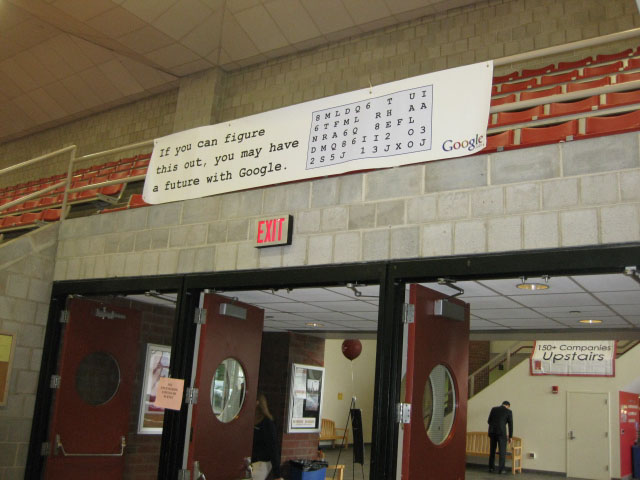
In search of some beautiful minds, Google has been putting up signs around the M.I.T campus with a code that say, “If you can figure this out, you may have a future with Google.” If they crack the code, which is a fairly simple substitution cipher (or not), it reveals a phone number where they can leave their contact information.

So far, no M.I.T. students have been able to crack the code, or at least they haven’t bothered to leave a voicemail. Maybe they need some help. The first person to crack the code gets a TechCrunch T-shirt, or maybe a job at Google if you call the number and leave your name.

google_code 029

Google Adsense Account Banned? See here for how to get a Google Approved Adsense account with your name and address.. See this website for more details. http://googleadsenseaccount.wordpress.com/


If you enjoyed this post, make sure you subscribe to my  RSS Feeds !!

If you enjoyed this post, make sure you subscribe to my E-NewsLetter !!

Also follow me at twitter to know what I am doing.

Posted By: KirubaKaran

Microsoft Certified Technology Specialist

Microsoft Goes Green

Microsoft's new Redmond Ridge 1 facility, at 57,000 square feet, will eventually take the place of the server labs currently operating on the company's main campus just down the road. According to Microsoft's Environmental Sustainability Blog, the new facility will use one-third less energy than those server labs, delivering "overall carbon savings of 12,000 metric tons per year." microsft ridge IMAGE 1.jpg

This rollover to a consolidated facility will mark a change in the workflow of those developers on Microsoft's main campus. Previously, product groups managed their own in-building server lab for development and testing, which probably worked out well on those late nights when a frustrated programmer wanted to march downstairs and personally threaten a misbehaving piece of equipment with a screwdriver; now, in the name of boosted corporate efficiency and environmental sustainability, that same programmer will need to climb into his or her car and drive eight miles down the road. microsoftrridge 1 IMAGE 2.jpg

By the time Redmond Ridge 1 operates at full capacity, predicted by Microsoft to be spring 2010, it will host 35,000 servers within self-contained pods. "Each Pod has an individual Uninterrupted Power Source (UPS) and rooftop air handler, direct network connectivity and dynamic generator backup," says the blog. "A state-of-the-art cooling design that relies on evaporative coolers and basic physics to cool the facility—instead of chillers—helps drive much of the reduction in energy for the facility." The facility's servers will leverage Windows Server 2008 R2 and Hyper-V, so that testers and developers can access the machines they need from locations either on Redmond's main campus or around the world. microsoftridge2 IMAGE 3.jpg

Server farms will only increase in size in coming years; if you're a business like Microsoft, your annual cost for the millions of kilowatt hours required to power those facilities will soon approach the GDP of a small to medium-size country. In those cases—and because it also supplies a PR boost by being able to say you've gone more green—building a new, "green" facility makes economic sense. For the enterprise and SMBs (small to medium-sized businesses) without billions of dollars in a vault, there are a few simple ways to save energy (and money) with their own server setup, according to a report by Gartner published late in 2008: 1. Plug holes in any raised floor. 2. Install blanking panels to manage airflow. 3. Coordinate CRAC (computer room air-conditioning) units, pairing older ones with newer to best combine their efforts. 4. Implement "hot" aisles and "cold" aisles. 5. Install sensors to measure temperature data and correct problems. 6. Implement cold-aisle or hot-aisle containment, to better separate cold supply air and hot exhaust air. 7. Raise data center temperature to an efficient standard. 8. Install variable-speed fans and pumps. 9. Exploit "free cooling," such as air-side economization and water-size economization, which can provide up to 8,000 free cooling hours per year, depending on the climate. 10. Design new data centers to exploit "modular cooling" (in-row or on-rack). 11. Improve underfloor air-flow, which will allow for more efficient distribution of cold air. The number of server-intensive facilities—and their carbon footprint—will likely only increase as cloud computing gains more prevalence among both consumers and the enterprise; any steps that can be taken to reduce that footprint not only save money (always a good thing) but might even spare a few polar bears (also a good thing, unless one of them is trying to turn you into an appetizer).

Google Adsense Account Banned? See here for how to get a Google Approved Adsense account with your name and address.. See this website for more details. http://googleadsenseaccount.wordpress.com/


If you enjoyed this post, make sure you subscribe to my  RSS Feeds !!

If you enjoyed this post, make sure you subscribe to my E-NewsLetter !!

Also follow me at twitter to know what I am doing.

Posted By: KirubaKaran

Microsoft Certified Technology Specialist

Increase 10mb Attachment Limit In Yahoo To 100 mb

mb1000Yahoo! Mail is one of the most widely-used web-based email in the world. Until now you could only send about 20-25MB files as attachment(s) per e-mail. However, with the introduction of applications in Yahoo Mail, attaching files of upto 100MB per mail is possible now.

drop.io, is a simple real-time file sharing service, which allows files of upto 100MB to be shared at once. They have come up with an app, called as Attach Large Files, that can be integrated into Yahoo Mail Applications. Through this you may send files of upto 100MB per mail.

mb01001

How to do it?

  • First of all login to your yahoo mail. See to it, that it is the New Yahoo! Mail Interface.. You may access it from here.
  • mb1002Access ‘Attach Large Files’ from the applications menu in the lower left hand corner of your inbox.

    Note that you must have applications enabled in your yahoo mail to see the applications menu. Too enable it go to http://overview.mail.yahoo.com/applications and click on the get started link at the bottom.

  • A new tab – ‘Attach Large Files’ will have opened. Just click on the ‘Select Files’ button, and go on uploading!
  • After that click on the ‘Upload and Compose E-Mail’ button, compose your email and send it.

When your recipient opens the e-mail, they have the option to click to view and download individual files, or the whole group (of files).

The application allows Yahoo! Mail users to save previously sent groups of attached files that can later be viewed or resent. It also integrates several useful drop.io functions like voicemail and conference calling.

The Attach Large Files app was built entirely on drop.io’s robust and open API. On the potential of drop.io’s API, Shaun concludes,

In reality, any third-party developer could have made this app, which serves to illustrate the enormous power of the drop.io API when coupled with other platforms such as Yahoo! Mail.

Google Adsense Account Banned? See here for how to get a Google Approved Adsense account with your name and address.. See this website for more details. http://googleadsenseaccount.wordpress.com/


If you enjoyed this post, make sure you subscribe to my  RSS Feeds !!

If you enjoyed this post, make sure you subscribe to my E-NewsLetter !!

Also follow me at twitter to know what I am doing.

Posted By: KirubaKaran

Microsoft Certified Technology Specialist

Find Invisible Friends In YAHOO..!!

Yahoo messenger is a popular chat client used by most people. I’m listing out 3 free services which can tell you the real status of your friends on yahoo.

Find invisible friends on Yahoo messenger

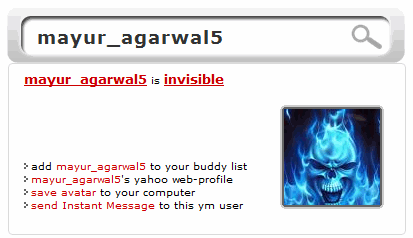
These services tell whether a user is online, offline or invisible. Just enter the yahoo email id of your friend and easily know his availability status.

It is a smart way to catch users who become invisible and don’t want to chat :D

Google Adsense Account Banned? See here for how to get a Google Approved Adsense account with your name and address.. See this website for more details. http://googleadsenseaccount.wordpress.com/


If you enjoyed this post, make sure you subscribe to my  RSS Feeds !!

If you enjoyed this post, make sure you subscribe to my E-NewsLetter !!

Also follow me at twitter to know what I am doing.

Posted By: KirubaKaran

Microsoft Certified Technology Specialist

Tweet Deck Updates with Better Facebook

Windows/Mac/Linux (Adobe Air): Social media organizer TweetDeck pares down configuration buttons, adds full Facebook feeds and new MySpace support, and integrates more tightly with link shortening service Bitly in a new version. In other words, it's worth the update.

TweetDeck is mainly a Twitter client, but it's been making inroads into helping you organize, search, and compress your other social networks in later versions. Adding columns is now a bit more intuitive and specific, as TweetDeck asks you which account the column should come from, and which aspects of a feed should be shown. Along with the aforementioned status-checking features, there's now drag-and-drop photo uploading for Facebook posting, and new lists of recommended Twitter accounts to follow for different types, like "Journalists."

TweetDeck is a free download, works anywhere the Adobe AIR platform does.

TweetDeck [via CNET]

Google Adsense Account Banned? See here for how to get a Google Approved Adsense account with your name and address.. See this website for more details. http://googleadsenseaccount.wordpress.com/


If you enjoyed this post, make sure you subscribe to my  RSS Feeds !!

If you enjoyed this post, make sure you subscribe to my E-NewsLetter !!

Also follow me at twitter to know what I am doing.

Posted By: KirubaKaran

Microsoft Certified Technology Specialist

Online Photo Editors Reviews

In recent years , Websites which provides tools to edit photos in web browsers have come a long way. Instead of buying costly image editing software and installing them on your hard Drive , you can simply edit your images online without much trouble. With this online image editing tools , you can easily create all the special effects you want in your image. Even few websites provides templates for novice designers to create special effects in their photos.

Online Image Editor Features

The online Photo Editors allows users to upload images from their PC or they can also import images from photo sharing websites like Photobucket.com , flickr.com , Picasa.com , facebook.com , etc.

They provide image resizing tools which will help all webmasters to re-size images easily online. After editing images you can also upload images to the photo sharing websites or you can save in your hard drive. The following are some of the features they provide :

  • Fix your photos in just one click
  • Use advanced controls to fine-tune your results
  • Crop, resize, and rotate in real-time
  • Tons of special effects, from artsy to fun
  • Astoundingly fast, right in your browser
  • Awesome fonts and top-quality type tool
  • You can even create an animation (Animated GIF)
  • Works on Mac, Windows, and Linux
  • No download required, nothing to install

12 Free Online Image Editors

These Online image editors are either built on flash or HTML. These editors make use of simple AJAX techniques to prevent reloading of pages. And you don’t need latest version of flash to run this image editors.

Fotoflexer
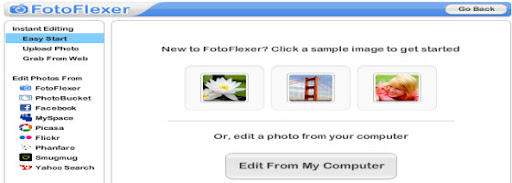
FotoFlexer Online Image editor

FotoFlexer is a advanced online digital photo editor. It performs advanced effects which are previously available only to professionals using expensive software. FotoFlexer is based on Flash and you can upload image of any size. It Handles multiple layers with grace. It also Includes advanced features like curve tweaks and intelligent lassoing for free.

Flauntr

Flauntr Online Image editor

Flauntr is also a free Online image editing tool. With flauntr you can apply stunning one-click effects to your digital photos for free. Convert edited photos into posters, canvas prints, and greeting cards and also lots of one-click options to edit your digital photos instantly. However it doesn’t have layers support.

Online Image Editing tool : Photoshop

Online Image Editing and Photo Sharing : Photoshop

Photoshop is the latest iteration of Adobe which has got a huge boost with support for the large images coming out of today’s high-megapixel cameras. It is fully based on Flash and image upto 10MB size with maximum resolution of 6000×6000. Once can preview the editing features in real time. It also runs on Adobe’s latest and greatest Flash technology.

Phixr Online Photo Editor

Phixr Online Photo Editor

Phixr is an HTML based image editor. It does not save your photos on its servers for very long, so you can edit sensitive images and nobody will see them. It also doesn’t provides layers support. The max resolution of image can be 1440×1080.

Phoenix Image Editor
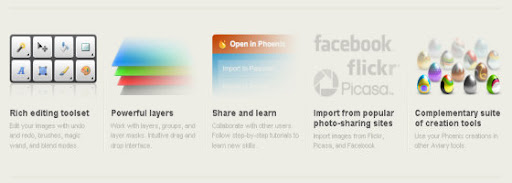
Phoenix Online Photo Editor

From basic image retouching to complex effects, Phoenix delivers the key features of a desktop image editor with the simplicity and accessibility of a web-based application. User can upload image of any size. It supports great layer masking, community support, and tutorials. Work from Phoenix can be sent to another editing tool in the Aviary Web suite.

Pixlr Photo Editing services

Pixlr Photo Editing services

Pixlr feels a lot like a desktop application, complete with a workspace which you can rearrange and customize to your liking. It is a flash based online image editor without any upload limit for images.

Splashup
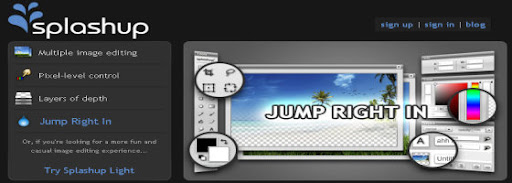
Splashup online Photo Editing services

Splashup, formerly Fauxto, is a powerful editing tool and photo manager. With the features professionals use and novices want, it’s easy to use, works in real-time and allows you to edit many images at once. Splashup runs in all browsers, integrates seamlessly with top photo-sharing sites, and even has its own file format so you can save your work in progress. Layers, layer effects, filters and brushes all are available in this online editor.

Picnik : Photo editing made fun

Picnik - Photo editing made fun

Picnik is the default photo editor for Flickr, very slick interface. Picnik makes your photos fabulous with easy to use yet powerful editing tools. Tweak to your heart’s content, then get creative with oodles of effects, fonts, shapes, and frames. It’s fast, easy, and fun.

Picture2Life : Edit, Collage, Animate and Share
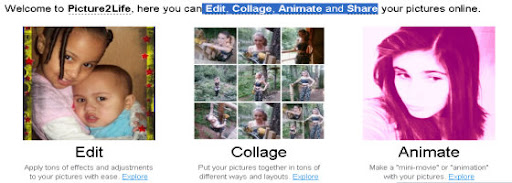
Picture2Life :  Edit, Collage, Animate and Share

Picture2Life enables you to do what you really want with your pictures. Some of the things you can do include editing, creating collages or animating your pictures. Its super easy to use and best of all, its all free! Bring life to your pictures by adding special effects or adjustments (Brightness, Contrast, Rotate, Crop, Flip, Fade Edges, and soo much more!).

Pixenate
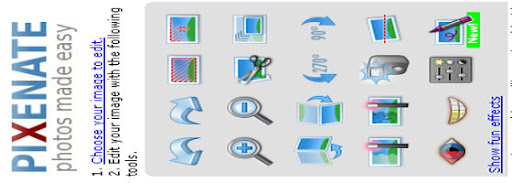
Pixenate Online image editor

Pixenate is a HTML based Image editor , so no need for any flash plug-in.Pixenate is the photo editor of choice for photo printing and photo sharing businesses.The maximum size of image can be only 10MB and it does not supports layers support.

LunaPic Online Photo Editor

LunaPic Online Image editor

LunaPic is a free online image editor which is based on HTML.The maximum size of the image can be 4MB and It doesn’t have Layers feature. It can run on machines even without Flash installed. It has some really inventive special effects such as reflective water that ripples and fire effects.

Pixer.US

Pixer Online image editor

Pixer is a flash based online image editor. It has wide range of layers, filters and effects. With pixer.us you can edit your photos online using only your browser.

25+ Online Photo Modification Websites

So far i have listed sites which provide tools to edit your images. But now the following sites will create special effects in your photos. Everything will automated in this websites. You just need to upload your images , it will create all modifications automatically. You can use this sites to change, enhance and make funny photo editing without knowing program like Photoshop.

Fun Photo Box

Funny Photo Effects and Gif Animations

The FunPhotoBox site has free online image editing tools which can help you to create funny pictures from your photos.FunPhotoBox is a free photo editing online service.You can create Cards , Animations , photo effects and magazine covers.

PhotoFunia

PhotoFunia - Funny Photo Effects and Gif Animations

PhotoFunia is an online photo editing tool that gives you a fun filled experience. You upload any photo and just wait to see the magic. Their proprietary technology automatically identifies the face in the photo and let’s you add cool photo effects and create funny face photo montages. PhotoFunia is free and very easy to use. Just select an effect you like from over 100 different effects, upload your photo, and PhotoFunia will handle the rest for you.

PicArtia

PicArtia online photo editing tool

Picartia is free online Photo editing tool. With this Photo Editing tool you can create mosiac effects in your photos. You can even use it in your blogs, websites or post it as an online gift to your friends on different occasions like school gatherings or birthdays.

BeFunky

BeFunky online Photo Editing services

With Befunky anyone can become an artist. BeFunky Photo Effects allow users to easily create photographically rich and artistic results from their digital images without the need for any technical knowledge. With just single click , you can create your desired effects easily. It has built in templates which allows users to preview.

LunaPix : Make Funny pictures & add photo frames

LoonaPix Online Digital Photo Effects tool

LoonaPix.com is a free photo editing online service. With LoonaPix image editing tool you can embed your face from the photo to the various templates, add photo frame or just trim it. In other words, you make your photo funny and unique. And, notice, it is easy and free!

Funny Photo

Funny Photo Create funny images online

Funny Photo ! has several unique photo effects which will make you busy for sure. Their templates will make it easy to create any effect in your image with just a single click. They provide the following features :

  • Paste your Photo into New Reality
  • Switch the Head
  • Frame your Photo
  • Simple Frames

Dumpr – Photo Fun

Dumpr Online funny photo maker

Dumpr is a free online photo editor tool which provides few unique templates and effects. Each effect has its own customizations options. You will be prompted to upload a photo (or image) from your computer. Some effects offer several variations (ie, pick a museum to hang your photos in.) When done, click Continue and your image will be processed immediately.

PhotoVisi : Create a collage with frame

PhotoVisi : Create a collage with frame

Photovisi consists of 18 photo templates. You can choose any one and create collages from Your photos as wallpapers and more.

Photo 505

Online Digital Photo Effects tool

Photo505 consists of hundreds of ready made photo effects. You can create your desired effect with just single click. They provide online preview feature to let you preview your images.

Hairmixer : Online virtual hair style makeover
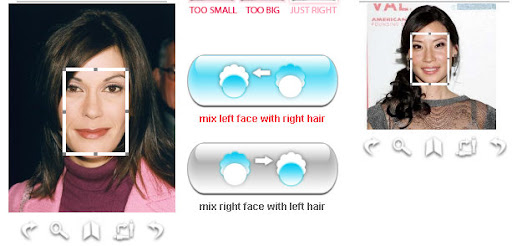
Hairmixer : Online virtual hair style makeover

Choose from hundreds of virtual hairstyles and get a new hairstyle and hair color with just simple clicks. No need to have any experience in image editing and all.

WriteOnIt
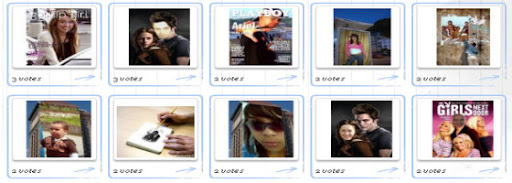
WriteOnIt Online funny photo maker

With this free online image editing tool you can easily create your photomontage, free cards, magazine cover and other funny jokes for you and your friends.

MagMyPic : Fake Magazine cover maker

MagMyPic : Fake Magazine cover maker

MagMyPic is a free online magazine cover maker. Put you Photos on Magazine front pages with this image editing tool. It has 30 different magazines to choose from. You can select any of them and make an impressive, unique, custom fake magazine with ease – it’s simple!

Hollywood Hair Virtual Makeover
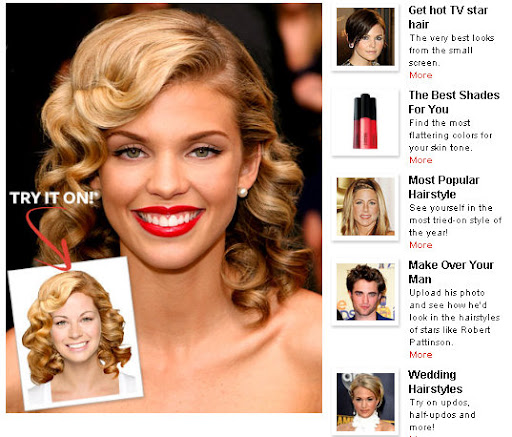
Online Hollywood Hair Virtual Makeover

With this Hollywood virtual hair makeover you can change your hairstyle with any hottest Hollywood celebrities. You can also change you skin tone , lips color , eye color , etc with just a single click.

BigHugeLabs : Do fun stuffs with your photos

BigHugeLabs : Do fun stuffs with your photos

With BigHugeLabs you can create lots of special effects in your images with single clicks. You can create ad posters , magazine covers, Movie Poster, Hockneyizer , Pocket Album , etc.

FaceInHole

FaceInHole : Online photo face changer

With FACEinHOLE.com you can easily create a new look for you and your friends. You just need to select a scenarioand and upload your photo. If needed adjust a photo to make it look good.

Online Personalized money maker

Online Personalized money maker

Create your own personalized money bill at the click of a mouse button.

MyHeritage Face Recognition Tool
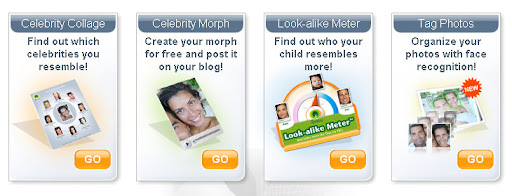
MyHeritage Face Recognition Tool

MyHeritage.com is one of the world’s first services to apply advanced
face recognition technology to personal photos and family history; and it’s free! But you need to create an account to access edit your images.

Poladroid – The easiest and funiest polaroid maker

Poladroid – The easiest and funiest polaroid maker

Create easily high resolution polaroids with the help of online poladroid maker tool.

FotoTrix – Online Image Generator and editor

FotoTrix – Online Image Generator and editor

Fototrix have over 2,500 templates for your digital photographs! Make it look like you had your photograph taken with a celebrity or add some goofy props to spice up your photos. Give yourself an award (upload your photo, add award props like Emmy and Oscar awards) or just add a silly hat to your photographs.

Fake Magazine Cover maker

Fake Magazine Cover maker

you can personalize magazine covers online (no software applications to install, just use your web browser) by uploading digital photos you have on your computer. You can put your face on the cover of many well known magazines (from celebrity gossip zines to children’s learning magazines).

Jpj Fun : Make awesome pictures with ease

Jpj Fun : Make awesome pictures with ease

The EFFECT LIST section makes possible to imagin yourself on billbords, on newspapers, on “wanted” posters like it was in “wild wild west”, on 100 dollars bill, on the posters with famous celebrities and any any other awesome effects.

Blingee

Blingee : Add Glitter, Graphics, and Comments

Blingee is a HTML based image editing site. With blingee you can add glitters , graphics and comments to your images online.

Pizap : Free Online Photo Editor

Pizap : Free Online Photo Editor

Pizap is a fun free photo editor that lets people easily create wacky images with their digital pictures. PiZap was created as a tool primarily for social networking users who want to post their images to their favorite social networking sites.

Condenet : Create Your own WIRED cover

Condenet :  Create Your own WIRED cover

Create your own Wired magazine cover with this easy image editing tool. You can customize your headlines , borders and colors and also you can upload your favorite photo as well.

Fotocrib : Online Photo Editor

Fotocrib : Online Photo Editor

a web based photo editing service. fotocrib currently allows users to …

  • Create montages
  • Add 3D effects
  • Encrypt photos
  • Create rounded corners
  • Convert between jpeg, png, gif, pdf and postscript formats
  • Send photos to email recipients

PixiSnap : Create Photo Mosaics & Polaroid pictures

PixiSnap : Create Photo Mosaics and Polaroid pictures

Pixisnap allows you to create your own pixisnap photos in 3 easy steps: choose a mosaic type, upload your photo and customize your mosaic art. Create photo mosaics and Polaroid pics in a snap with Pixisnap!
Turn your lifeless picture to awesome photo mosaics or cool Polaroid
and make them your desktop wallpaper or Myspace background.

Hetemeel : Dynamic Einstein picture

Hetemeel : Dynamic Einstein picture

Hetemeel allows you to add custom text to Einstein’s image. You can change the text on the image to whatever you like. Change the text in the form below, then click on “preview image”. The text in the image will change accordingly. You can align the text with spaces and enters.