What Happened To Mininova.org

Mininova, the largest torrent site on the Internet, has removed all torrents except those that were uploaded through its content distribution service. Mininova’s founders took the drastic decision after they lost a civil dispute against Dutch anti-piracy outfit BREIN, and were ordered to remove all infringing torrents from the site.

mininovaMininova’s decision to delete all infringing torrents from its index marks the end of an era that started five years ago.

In December 2004, the demise of the mighty Suprnova left a meteor crater in the fledgling BitTorrent landscape. This gaping hole was soon filled by the dozens of new sites that emerged to fulfil the public’s increasing demands for torrents. Mininova became the most successful of all.

Mininova was founded in early 2005 by five Dutch students, just a month after Suprnova closed its doors. The site started out as a hobby project created by tech-savvy teenagers, but in the years that followed the site’s founders managed to turn it into a successful business that generated millions of dollars in revenue.

With increased popularity also came numerous complaints from copyright holders, who saw their intellectual property being shared by users of the site. For years Mininova has complied with these takedown requests, but earlier this year the Dutch anti-piracy outfit BREIN decided to take the torrent site to court nonetheless, demanding that the operators proactively filter torrents pointing to copyrighted material.

The case went to court in June and a few weeks later the verdict was announced. The judge ruled that Mininova is not directly responsible for any copyright infringements, but ordered it to remove all torrents linking to copyrighted material within three months, or face a penalty of up to 5 million euros.

To avoid having to pay these penalties, the Mininova team saw no other option than to disable access to all torrents except those that were uploaded to their content distribution platform. This means that only approved uploaders can share torrents through the site for now.

During the last few months, Mininova has extensively tested several filtering techniques, but none of these proved 100% effective. “It’s very unfortunate that we’re forced to take this action, but we saw no other option,” Mininova co-founder Niek told TorrentFreak.

Mininova still hasn’t decided yet whether they will appeal the verdict, Niek further told TorrentFreak. They have appealed the verdict pro-forma, which gives the company more time to decide whether they will indeed continue with the appeal. As it looks now, a successful appeal is the only option for Mininova to bring all torrents back.

In the meantime the Mininova team will focus on other projects besides Mininova, as well as growing the number of users for their content distribution platform.

The implications of Mininova’s decision will have a huge impact on the BitTorrent community. The millions of Mininova users and uploaders have to look for a new home, but perhaps even more importantly, Mininova had the largest collection of user-submitted torrents that were used by dozens of smaller torrent indexers.

More information on the consequences and background of Mininova’s decision will be addressed in a follow up article.

Google Adsense Account Banned? See here for how to get a Google Approved Adsense account with your name and address.. See this website for more details. http://googleadsenseaccount.wordpress.com/


If you enjoyed this post, make sure you subscribe to my RSS Feeds !!

If you enjoyed this post, make sure you subscribe to my E-NewsLetter !!

Also follow me at twitter to know what I am doing.

Posted By: KirubaKaran

Microsoft Certified Technology Specialist
Google Chrome OS Beta Version Released… Download Your Copy Now

There has been a lot of hype for Google operating system ‘Chrome OS’. A New Chrome OS 0.4.237 beta is available for free download now.

Chrome-OS

Chrome OS is a brand new free operating system built around the revolutionary Google Chrome browser. The project aim is to provide a lightweight Linux distribution for the best web browsing experience.

Featured software in Chrome OS:

  • GNOME 2.24 desktop environment
  • Google Chrome 4.0.237 web browser
  • Google Picasa 2.7 photo manager
  • OpenOffice.org 3.0 office suite
  • GIMP 2.6 image editor
  • Flash Player 10.0 plugin
  • and much more!

You can either install the Chrome OS using a Live CD image or try it using a virtual software like VMware Player or Virtual Box.

Google Adsense Account Banned? See here for how to get a Google Approved Adsense account with your name and address.. See this website for more details. http://googleadsenseaccount.wordpress.com/


If you enjoyed this post, make sure you subscribe to my  RSS Feeds !!

If you enjoyed this post, make sure you subscribe to my E-NewsLetter !!

Also follow me at twitter to know what I am doing.

Posted By: KirubaKaran

Microsoft Certified Technology Specialist

A Indian Child Drawing On The Google Home Page

Nine year old Puru Pratap Singh is winner of the Doodle 4 Google contest. Today, Google Search Engine home page display the logo of Puru created My India Google Doodle. He studying 4th standard from Amity International School, Gurgaon, India. Puru won the 4th, 5th, and 6th standards Google India's nationwide doodling competition.
31-year-old Google Webmaster Dennis Hwang who is the brain behind Doodle4Google concept was very fascinated by the rich culture and heritage of the country. "It feels special to have won it," says Puru Pratap Singh. His doodle title is "My India — Full of Life" was chosen from 4,000 nationwide entries through an online poll. It will be displayed on the Google India homepage today, to celebrate Children's Day.


Thousands of users voted for their favorite doodle in each age category between October 21st – 31st, 2009. Google announced the final winner on November 12th, 2009.


* 1st, 2nd and 3rd standards Winner - Sriradha Kapoor, 2nd standard, Dehradhun
* 4th, 5th, and 6th standards Winner - Puru Pratap Singh, 4th standard, Gurgaon
* 7th, 8th, 9th and 10th standards - Anamika Sonai, 8th standard, Ranchi

Google Adsense Account Banned? See here for how to get a Google Approved Adsense account with your name and address.. See this website for more details. http://googleadsenseaccount.wordpress.com/


If you enjoyed this post, make sure you subscribe to my  RSS Feeds !!

If you enjoyed this post, make sure you subscribe to my E-NewsLetter !!

Also follow me at twitter to know what I am doing.

Posted By: KirubaKaran

Microsoft Certified Technology Specialist

Get Email Alerts For Your Twitter Lists with Listiti

Now that Twitter has unleashed their new lists feature, we’re sure to see lots of tools popping up which integrate them. Listiti is the newest I’ve come across so far – it’s described as “Google alerts for Twitter lists”. So basically you can monitor the mention of any keyword on any specified Twitter list. If you prefer, you can also monitor keywords based on tweets from a specific user.

Three simple steps are needed in order to setup an alert:

  1. Enter the name of the list or user that you’d like to monitor.
  2. Enter the keyword(s) that you’d like to monitor. You can choose to have at least one keyword match or choose that they all should match (in your results).
  3. Enter the email address so that your alerts can be sent to you.

Setup email alerts with Listiti.

Listiti also allows you to promote any Twitter list or Twitter account with their free badges. There are six to choose from and they’re fairly simple to customize and use. You’ll need to enter the Twitter list or username along with any keywords (which are optional) that you’d like to track. You’ll see a preview and then you’ll get the code (JavaScript) which can be used where supported.

Increase the Audience of your Twitter Content with Badges.

As you can see, the idea behind Listiti is pretty simple and straightforward. At the moment they only offer hourly alerts. They “will shortly offer digest modes. Stay tuned (you can follow them on twitter @listiti to keep in touch)”. Also, since the site is very new, there’s no option to receive a “digest” of your alerts. This is something else that is said to be added in the future.

After reading about Listiti, is this a tool that you are currently or plan on using?

Google Adsense Account Banned? See here for how to get a Google Approved Adsense account with your name and address.. See this website for more details. http://googleadsenseaccount.wordpress.com/


If you enjoyed this post, make sure you subscribe to my  RSS Feeds !!

If you enjoyed this post, make sure you subscribe to my E-NewsLetter !!

Also follow me at twitter to know what I am doing.

Posted By: KirubaKaran

Microsoft Certified Technology Specialist

Schedule Your Tweets

If you want to post tweets on Twitter and schedule them at a future date, you might want to check out Taweet. It is quite a handy website, which allowed me to schedule tweets in the future months from today, to be posted on my Twitter account.

taweet_sched_1

Taweet
  • The website has a format in the form of a simple question. The question is ‘What are you doing in the future?’ You write in the message and select a date from the calendar also with a specified time.
  • You can select post now and post in real time instead of scheduling them.
  • To schedule a Future Tweet, I needed to do some tweaking to the settings as by default the buffer is set for 12 hours. The buffer is a time frame in which if you schedule a tweet, it gets cancelled or deleted from Twitter to avoid double posts for your followers. I could reduce the buffer to 3 hours which is the minimum.
  • Taweet also allowed me to manage multiple Twitter accounts.
  • It also has a Facebook like feature which allows others using Taweet to comment on your Future Tweet. (see image below).

taweet_sched_2

This is a great website if you want to write tweets and time them in a micro managed way. Scheduling tweets is not really helpful for a time frame of a few minutes or an hour, but it is practical if you are scheduling tweets 12 hours or more in the future. This is quite helpful if you think your followers usually look up tweets in the mornings and you work at night. You can schedule them for the morning in that case

Google Adsense Account Banned? See here for how to get a Google Approved Adsense account with your name and address.. See this website for more details. http://googleadsenseaccount.wordpress.com/


If you enjoyed this post, make sure you subscribe to my  RSS Feeds !!

If you enjoyed this post, make sure you subscribe to my E-NewsLetter !!

Also follow me at twitter to know what I am doing.

Posted By: KirubaKaran

Microsoft Certified Technology Specialist

World Without Google

For some time now it has seemed to me that Google IS the Internet, and once the Internet is my life, Google IS my life.

Doesn’t it also look scary when Google goes offline and you start noticing its traces in real life?

OK, maybe this only scares me, for most people it should seem amusing, so let’s have some fun for a change:

Google Adwords

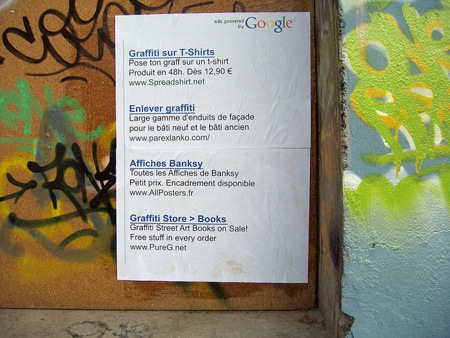
It’s kid of amusing to see Google ads on the wall:

Google Adwords - street

Source

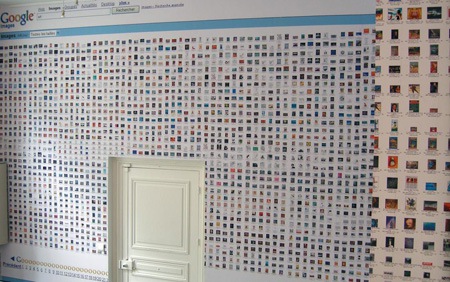
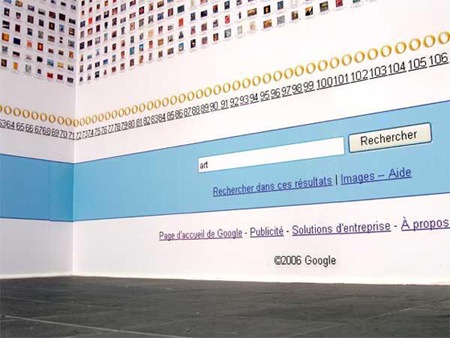
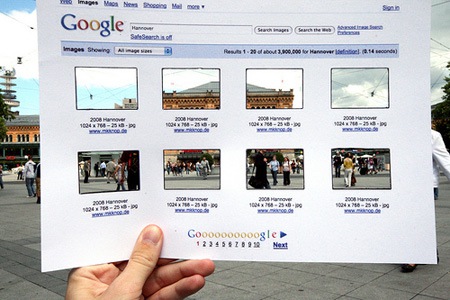
Google Image Search Interior Design

I’d love to work in a room like this one – but probably instead of image search, I’d like my most successful general SERPs to be there:

Google Image Search Interior Design

Source

Google Image Search Interior Design

Source

Google Image Search Interior Design

Source

The world via Google Images

The world via Google Images

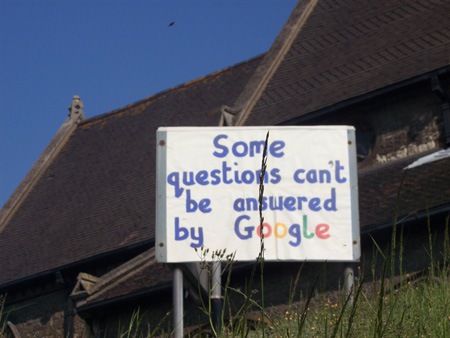
Google Answers

An creative project by Italian artist Filippo Minelli shows us the world where everything is powered by Google.

Google Answers

Source

Or, really?

Google Answers

Source

Real-life Google maps marker

Life-sized Google Map markers are planted around various spots of the world as part of the Google’s campaign that promotes the use of Google Maps.

Real-life Google maps marker

Source

Real-life Google maps marker

Real-life Google maps marker

Source

Real-life Google maps marker

Source

Offline Youtube video

Offline Youtube video

Source

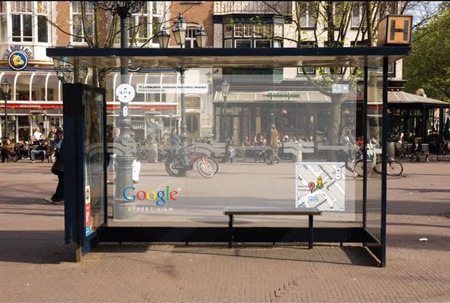
Google street view imitation

Google street view immitation

Source

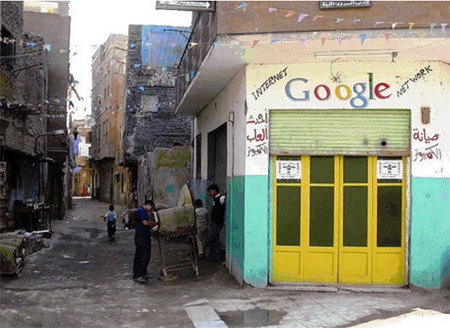
Google Street Art

Google Street Art

Source

Google Lies

Google Street Art: Google Lies

Source

Google This:

Google Street Art

Source

Google Street Art

Source

Google Me

Google Street Art

Source

Check out the SEO Tools guide at Search Engine Journal.

Google Adsense Account Banned? See here for how to get a Google Approved Adsense account with your name and address.. See this website for more details. http://googleadsenseaccount.wordpress.com/


If you enjoyed this post, make sure you subscribe to my RSS Feeds !!

If you enjoyed this post, make sure you subscribe to my E-NewsLetter !!

Also follow me at twitter to know what I am doing.

Posted By: KirubaKaran

Microsoft Certified Technology Specialist

Free SMS Based Location Search In Bangalore To Get directions

A new SMS based location search service is available in Bangalore now. It's on 9008890088. This new service allows you to find services, directions to places of interest and also provides directions to people from point A to point B in Bangalore.
The cool things about this services is that it is completely based out of the SMS network and so it works absolutely fine for people with or without Smart phones. Till date we have had location based search confined to only smart phones having mapping facility like GPS but this new service brings in a lot of hope to look out for in Bangalore.
The 9008890088 SMS service is available free of charge - the only charge you will incur is the standard SMS rate for local messages as per your mobile plan. This service requires NO registration or NO subscription.
I used this service over the weekend and was very much impressed with it - I found the service to be pretty reliable and also involves very little waiting time - maybe because very few people have started to use this service. But even on a weekend and the fast response it was really good. The reply back time varied for me from around 5 seconds to a max of about 1 minute but again it looks like the reply time varied due to the mobile operator’s message traffic congestion and also the availability of signals since I was constantly on the move.
Here's how you can make use of this very simple and effective service. All you need to do is simply send SMS to 9008890088.
Here's how you can use the service - simply SMS any of these messages below to 9008890088:

  • Example 1: FROM Silk Board TO Lalbagh Road
  • Example 2: Pizza NEAR Forum Mall
  • Example 3: HDFC ATM NEAR M G Road

You will get an instant reply SMS with the exact location and also you will get the shortest directions to reach the place from a prominent landmark. Another added benefit is that you also get to know the total distance in Kilometers and also an approximate Auto fare to the destination which really helps when you need to bargain for a fixed fee from places like MG Road or Forum.
Hope you too find the service very useful - save it to your mobile now!! Never know when you need this service which is just an SMS away!!

Google Adsense Account Banned? See here for how to get a Google Approved Adsense account with your name and address.. See this website for more details. http://googleadsenseaccount.wordpress.com/


If you enjoyed this post, make sure you subscribe to my RSS Feeds !!

If you enjoyed this post, make sure you subscribe to my E-NewsLetter !!

Also follow me at twitter to know what I am doing.

Posted By: KirubaKaran

Microsoft Certified Technology Specialist

Apple OS Vs Windows 7 Os

I’d been waiting to do a Windows 7 and Mac OS X comparison for quite some time now. And was simply overjoyed to receive my personal copy of Windows 7 Ultimate last weekend. So here’s pitting two of the most famed operating systems against each other. Hit the read link to see which one stole the show.

both os
It makes enough sense to do the comparison at this time as Snow Leopard has been updated to 10.6.1 and Windows 7 too had a few updates over the RTM release. Firstly, the hardware – The 64 bit editions of the two OS’ were installed on a Macbook Pro(2009) 2.53ghz, 4GB Ram. Boot Camp 3.0 was used to install Windows. Trust me it makes the driver installation a breeze. No virtualization used.

Pricing

I’d only be discussing update pricing here. Upgrading from Leopard to Snow costs only $29. However, Windows 7 Ultimate will set you back by $219 if you are upgrading from Vista or XP. While Snow Leopard has no variants Windows does and the Ultimate was the only one that would have compete against Snow.

Installation

Both the OS were installed with default settings and power management was set to high performance. You could upgrade Vista to Win7 and Leopard to Snow. Let me tell you upgrading from XP to Win7 will put you through some peril though. We’ll cover that later. Mac users don’t have to worry at all. No matter what version you are upgrading from, no issues whatsoever. For the sake of the test I did a fresh installation of both on different hard disks. Both the installations took around thirty minutes.

First Run

Now something that I really got bugged by and must share here is that Windows 7 does not have these pre installed unlike any version of Mac OS X. No PDF Viewer, No IM application and no e-mail client. They can be downloaded from Windows Live Site but why, Microsoft?

screen2

screen3

Interface

Microsoft has definitely enhanced the user interface on this one and Win7 is by far the best-looking OS in the Windows family. However, beauty won’t stay appreciated without functionality. Let’s find out. The new Aero themes which we first saw in Vista look pretty. Also, worth noticing, the user interface is more user-friendly than Vista and is less irritating to use.

I’ll briefly mention some of the new Aero features. Aero Shake allows you to shake the title bar of a window, to minimize all other windows. Aero Snap lets you drag the window to the right left or top of the screen and it snaps itself elegantly. Dragging left or right makes it occupy half of the screen while top edge makes it full screen.

The new Windows is less painful to configure but you still have to do some work finding what you want, say advanced power options for instance. Nothing beats the simple layout of System Preferences that Mac has. However, beauty won’t stay appreciated without functionality. While UI is catching up usability wise Windows still has a long way to go.

I also must mention Apple’s striking new feature Spotlight. It’s a search tool but the best you have ever seen on your desktop. It searches through everything you want it to. From system settings to your files, and did I forget to mention, in no time! Windows Search is catching up but not a match yet.
screen1

Everyday Tasks

Well, here both the OS fared almost equally well-doing daily errands such as word processing, printing, browsing. Except of course, ease of usability lies more towards Snow. Snow is not only less intrusive but way more user-friendly. Good news here is that Win7 manages your Graphics Processor better than its predecessors.

Speed

When it came to startup or shutdown Snow put Win7 to shame. While Snow took 31 seconds to boot up Windows took 44. While shutting down, Snow took me 3 second and Windows 9 seconds. Resuming from standby was the same on both – around one sec.

Other Benchmark tests

You could do these yourselves as well. In music encoding, the latest version of iTunes took around ten minutes to rip a folder while Windows took a minute longer. So Snow fared better when it came to encoding, start-up and shutdown.

However, when it came to 3D rendering Windows7 did a better job. The game Call of Duty 4 has its own benchmarking system. Win7 on an average score 5fps higher than Snow.

Security

While Microsoft has enhanced security options on this one, UAC still remains annoying, though you can turn it off. Also, Windows 7 has one distinct feature from Snow, that is Address Space Layout Randomization. This functions to randomly reposition important data making it less vulnerable to exploits. One could argue that Windows has far more viruses and trojans than Mac and attribute it to its greater popularity and exposure but that’s turning to prove false as Mac’s share increases.

Battery Life

With moderate use, keyboard and screen illumination set to medium and wi-fi on windows lasted around two third the time Snow did. While Snow lasted 5 hrs 15 minutes Windows ran out of battery juice in 3 hrs 40 minutes. Of course this could also be due to Boot Camp and given the fact that Snow is native to the Mac. That said, you could definitely make out that Windows 7 is more power-hungry if not less than Snow.

Conclusion

While Snow seems sleeker and way more user-friendly, Windows definitely has greater options and wider compatibility to its fame. I have only shared a first hand experience with both. While, we’ve discussed time tests and other surface features another important aspect lies in how the OS responds to third-party installations. Also how multiple processor cores are utilized.

We are not exactly starting an OS war here. Operating Systems have evolved ever since. Likewise user needs are on an increase too. So its just a matter of how the former catches up with the latter. While Microsoft has a wider reach, it’s unpleasant to see so many security updates every week. I’m sure most of us Windows users would be way happier when the very need to release them so often decreases.

Vista and XP users must try Windows 7 as it is the best windows ever made. As for the hardware I’d always advice in favor of the Mac for only a Mac lets you taste the best of both worlds. You could run both Windows and Snow leopard on it. Final verdict at the end of the day: Snow Leopard

PS: We have a lot of Mac coverage in store for you. So those of you who are curious about the Mac experience or have had trouble choosing between a Mac and a PC, we’ll have loads of info for you coming later this month. Do leave a comment – about Mac and Windows alike.

Given an option between Windows 7 and Apple Snow Leopard, which one will be your choice and why?

Source : ShoutMeloud

Google Adsense Account Banned? See here for how to get a Google Approved Adsense account with your name and address.. See this website for more details. http://googleadsenseaccount.wordpress.com/


If you enjoyed this post, make sure you subscribe to my RSS Feeds !!

If you enjoyed this post, make sure you subscribe to my E-NewsLetter !!

Also follow me at twitter to know what I am doing.

Posted By: KirubaKaran

Microsoft Certified Technology Specialist
How To Change MP3 Files Bitrate Without Loosing The ID3 Tags

We often need to change the bitrate of mp3 songs in order to reduce their actual file size. These small sized songs (but of original length) saves your disk space and can be played on mobile phones or on your cars stereo system.

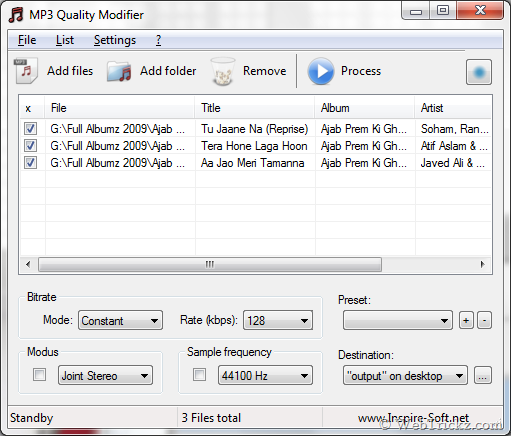
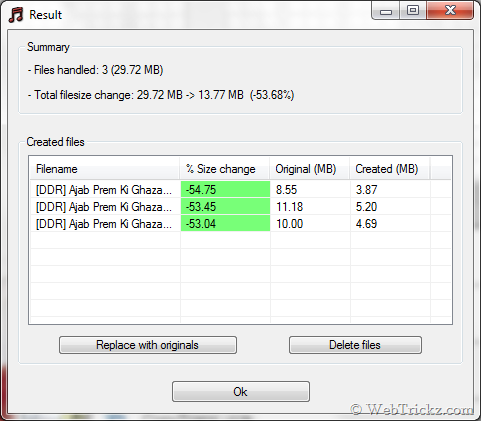
MP3 Quality Modifier is a free and small utility to change the bitrate of MP3 music collection easily. The best feature of this tool is that, all the ID3 tags (title, album pictures etc.) are completely retained without any effort!

MP3 Quality Modifier

Result

Key Features:

  • Drag & Drop files
  • Batch conversion
  • Retains all ID3 tags with ease
  • Advanced options: detailed bitrate settings, sample frequency etc.
  • Multilingual (6 languages)
  • Portable, no installation required

The program also tells, How much your file size is reduced (in % too) which is great :D

Download MP3 Quality Modifier  (319 KB)

Source : www.webtrickz.com

Google Adsense Account Banned? See here for how to get a Google Approved Adsense account with your name and address.. See this website for more details. http://googleadsenseaccount.wordpress.com/


If you enjoyed this post, make sure you subscribe to my RSS Feeds !!

If you enjoyed this post, make sure you subscribe to my E-NewsLetter !!

Also follow me at twitter to know what I am doing.

Posted By: KirubaKaran

Microsoft Certified Technology Specialist
Microsoft releases Windows 7 sponsored themes

win7sponsoredthemes

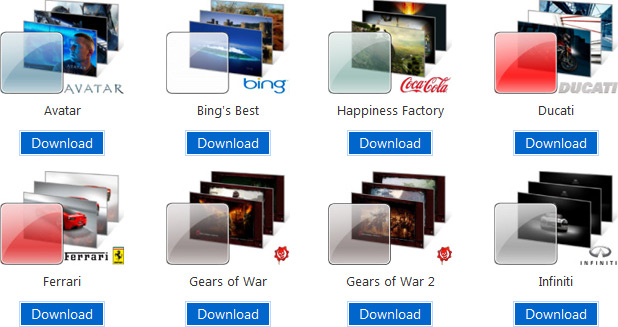
As the official Windows 7 launch is set in motion, a bunch of new content is being released online to support the wider public availability. To kick things off, a handful of new first-party theme pack have been released on Windows.com, but with a twist.

In addition to a number of new international themes released featuring photographs from different regions of the world, 14 sponsored themes are also available for download with wallpapers sourced from various notable brands. They range from movies to sports cars, video games and even refreshment beverages (from both Coke and Pepsi!).

As time goes on, I’d expect more companies to jump on this opportunity as an easy and fun way to promote their products and brand. Music label EMI has already planned a whole site dedicated to branded Windows 7 theme packs.

Google Adsense Account Banned? See here for how to get a Google Approved Adsense account with your name and address.. See this website for more details. http://googleadsenseaccount.wordpress.com/


If you enjoyed this post, make sure you subscribe to my RSS Feeds !!

If you enjoyed this post, make sure you subscribe to my E-NewsLetter !!

Also follow me at twitter to know what I am doing.

Posted By: KirubaKaran

Microsoft Certified Technology Specialist
Very Soon New Google Adsense Interface

Google is currently beta testing a better and sleeker interface of its AdSense account management. The new interface answers the top three suggestions provided by AdSense account holders  that will make the task of managing AdSense accounts easier and less daunting.

performancegraphs

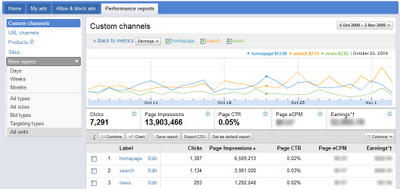
From the sample screenshot given by Google, the new interface is indeed better looking than the current interface. It is also less cluttered and links to the information that you would like to know when checking your AdSense account are given outright.

The new AdSense interface gives you more detailed performance reports that enables you to view daily statistics in a nice graphical format. Additional metrics that matters are also provided including earnings you earned from various ad implementation, ad targeting and ad bids.

The Ad Review Center will also be enhanced to give more options for managing ads and a cleaner interface that will facilitate easier reviewing of  ads in the Ad Review Center.

The new AdSense interface is now more streamlined and simplifies common tasks that you normally do on your individual accounts. The interface now also includes more relevant help, message inbox containing tips and alerts on every page of your AdSense account.

Google is currently rolling out the beta version of the new AdSense interface to some users in English, Spanish, French, German, Italian and Japanese AdSense users.

Google Adsense Account Banned? See here for how to get a Google Approved Adsense account with your name and address.. See this website for more details. http://googleadsenseaccount.wordpress.com/


If you enjoyed this post, make sure you subscribe to my RSS Feeds !!

If you enjoyed this post, make sure you subscribe to my E-NewsLetter !!

Also follow me at twitter to know what I am doing.

Posted By: KirubaKaran

Microsoft Certified Technology Specialist

How To Add Adsense To Your Blog Via Blogger

One of the things our publishers have always asked for are ways to make it even easer to configure their blogs to work with FeedBurner and AdSense for Feeds. We're happy to announce that Blogger users, with just a few clicks, are able to do both at the same time.

Yes, this year for Halloween, AdSense for feeds is putting on a Blogger costume and allowing all Blogger publishers to easily monetize your RSS and Atom feeds directly from the Blogger interface, in the same way you set up AdSense on your blog beforehand.
To set this up, go to Blogger and select the blog you wish to monetize on your Blogger Dashboard, and select "Monetize." This will give you some basic options for configuring ads, and if you already have connected your Blogger feed to FeedBurner, will confirm that the proper feed is being configured. AdSense for feeds will automatically pick the right ad sizes for your users, content, and end medium.


After setup, you will be able to view your AdSense reports (including feed revenue) directly from the Blogger Dashboard, as well as from your AdSense account. Additional feed management options for your feed and feed analytics will be available from http://feedburner.google.com.

Google Adsense Account Banned? See here for how to get a Google Approved Adsense account with your name and address.. See this website for more details. http://googleadsenseaccount.wordpress.com/


If you enjoyed this post, make sure you subscribe to my RSS Feeds !!

If you enjoyed this post, make sure you subscribe to my E-NewsLetter !!

Also follow me at twitter to know what I am doing.

Posted By: KirubaKaran

Microsoft Certified Technology Specia

How to Edit PDF Files without Adobe Acrobat

PDF EditingThe PDF file format was originally created by Adobe in the early ’90s and there are now over 450+ million PDF documents on the Internet according to Google. Compare this with the DOC format that was created in early ’80s (much before PDF) but there are only 75 million .doc files on the web today.

Why PDF Files are Popular:

There are several reasons why PDF files are so popular for exchanging all sorts of documents including presentation portfolios, CAD Drawings, invoices and even legal forms.

#1. PDF files are generally more compact (smaller in size) than the source document and they easily preserve the original formatting. You can open a PDF file, that was created using a Windows PC, on a Mac or a Linux machine and your document will still look the same everywhere.

#2. Unlike Word and other popular document formats, the contents of a PDF file cannot be modified easily. You can also prevent other users from printing a physical copy of your PDF document.

#3. And the biggest advantage -- you can view PDF files on almost any computer (or mobile phone) using the web browser or with the help of free software like Adobe Acrobat Reader.

Edit PDF Files with Free Alternatives to Adobe Acrobat

While PDF Files are “read only” by default, there are ways by which you can edit certain elements* of a PDF document for free without requiring the source files or any of the commercial PDF editing tools.

[*] This article will primarily focus on tools that let you alter the actual contents of a PDF file. If you are looking to manipulate the PDF file structure itself like rearranging pages or merging multiple PDFs into one, please refer to the previous Adobe PDF Guide.

1. Online PDF Editor for Basic Tasks

There are situations when you need to make only minor changes in a PDF file. For instance, you want to hide your personal phone number from a PDF file before posting it on the web or want to annotate a page with sticky notes.

online pdf editor

You can perform such edits pretty easily with PDF Escape, an online PDF editor that’s free and also lets you edit password-protected PDF documents in the browser.

With PDF Escape, you can hide* parts of a PDF file using the whiteout tool or add annotations with the help of custom shapes, arrows, text boxes and sticky notes. You can add hyperlinks to other PDF pages / web documents.

[*] Hiding is different from redaction because here we aren’t changing the associated metadata of a PDF file but just hiding certain parts of a PDF file by pasting an opaque rectangle over that region so that that stuff beneath the rectangle stays invisible.

2. Edit PDF Metadata (Author, PDF Title, etc.)

If you like to edit the meta-data associated* with a PDF document, check out Becy PDFMetaEdit. It’s a free utility that can help you edit details like the PDF document title, author name, creation data, keywords, etc. of any PDF file.

The tool can also be used for encrypting PDF documents such that only users who know the password can read the contents of your PDF files. And since this PDF metadata cum bookmarks editor can be executed from the command line, you can use it to update information in multiple PDF files in a batch.

edit pdf metadata

[*] If you planning to post your PDF files on the web, you should consider adding proper metadata to all the files as that will help improve the organic rankings of your PDF files in Google search results.

3. Edit Text in a PDF File

convert pdf to wordIf you want to edit large amounts of text in a PDF file but don’t have access to the source documents, your best bet is that you convert the PDF file into an editable Word document or an Excel spreadsheet depending on the contents of the PDF.

Then edit these converted PDFs in Microsoft Office (or Google Docs) and export the modified files back into PDF format.

If your PDF document is mostly text, you may use the desktop version of Stanza to convert that PDF into a Word document but if the document includes images, charts, tables and other complex formatting, try the online PDF to Word converter from BCL Research or the one from NitroPDF -- the former offers instant conversion while the latter service can take up to a day though its yields more accurate results.

4. Advanced PDF Editing (Images, text, etc.)

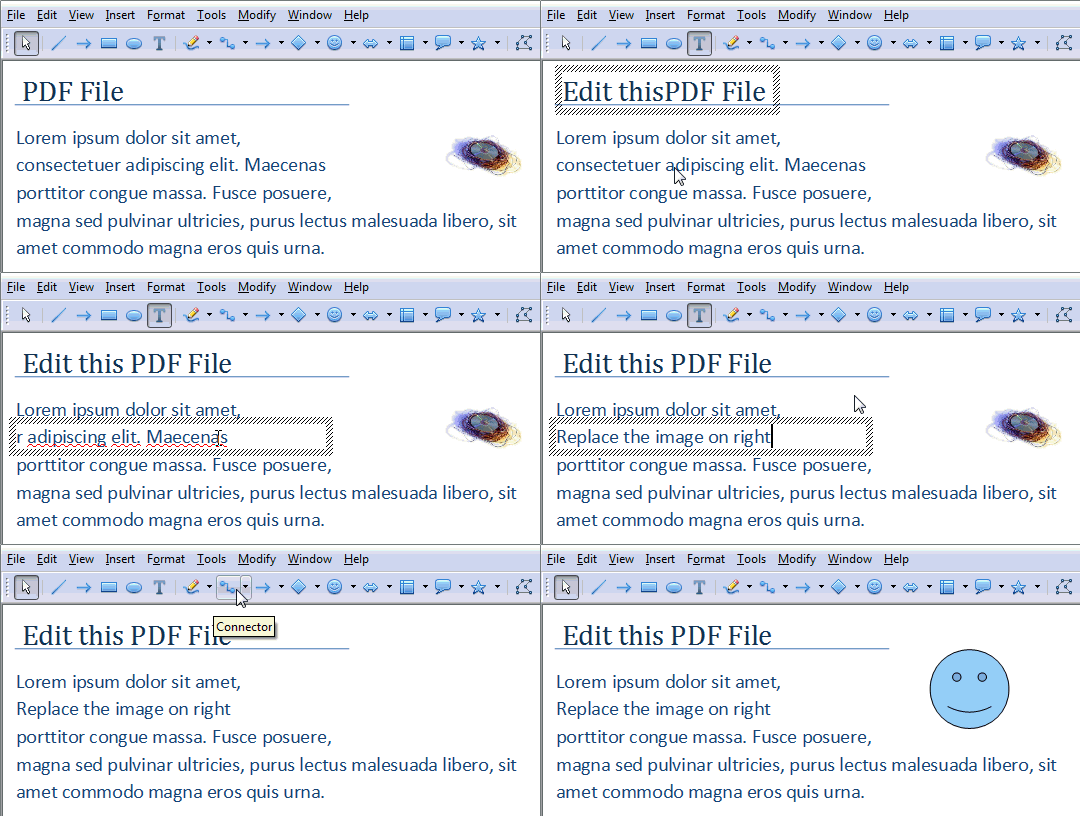
Now that you know the basic tools, let’s look at another set of PDF editors that are again free but can help you do some more advanced editing with PDF documents. This refers to stuff like replacing images on a PDF file, adding signatures, removing blocks of text without breaking the flow of the document, etc.

pdf stamps

PDF XChange is a free PDF viewer cum editor that you may use for typing text directly on any PDF page. PDF XChange also supports image stamps so you may use the tool for signing a PDF file or for inserting images anywhere on a PDF page.

Then you have Inkscape, a free vector drawing tool (like Adobe Illustrator) that can natively import and export PDF content.

Video Demo: Edit PDF Files with Inkscape

Popout

With Inkscape, you can select any object on a PDF page (including text, graphics, tables, etc.) and move them to a different location or even remove them permanently from the PDF file. You can also annotate PDF files with Inkscape or draw freehand on a page using the built-in pencil tool.

The next tool in the category of advanced PDF editors is OpenOffice Draw with the PDFImport extension. OpenOffice Draw supports inline editing so you can easily fix typos in a PDF document or make formatting related changes like replacing color, increasing or decreasing the text size, replacing the default font-family, etc.

Like Inkscape, the OpenOffice toolbox also includes support for annotations, shapes, images, tables, charts, etc. but here you have more choices and the software also looks less complex.

Edit PDF Files

The OpenOffice suite is a little bulky (they don’t provide a standalone installer for Draw) but if you have the bandwidth, OpenOffice is the best tool for manipulating PDF documents when you don’t have the budget for Adobe Acrobat.

Originally published at Digital Inspiration by Amit Agarwal.

Google Adsense Account Banned? See here for how to get a Google Approved Adsense account with your name and address.. See this website for more details. http://googleadsenseaccount.wordpress.com/


If you enjoyed this post, make sure you subscribe to my RSS Feeds !!

If you enjoyed this post, make sure you subscribe to my E-NewsLetter !!

Also follow me at twitter to know what I am doing.

Posted By: KirubaKaran

Microsoft Certified Technology Specialist
Updates Orkut.. See The SnapShot

There is a Great News for Orkut Lovers. They have rolled out a new interface for orkut. According to the reviews, it seems that they have focused primarily on a clean simple interface, fewer pages, faster browsing and greater personalization.

Tip : Did you know you could show twitter updates on orkut.

A Look at the New Interface of Orkut

New Interface of Orkut Seems Promising  Faster, Simpler

Click On the Pic for Larger Image

Features on the New Orkut Interface Look
  • Better "What are you up to ?" : If you are eating pancakes or watching tv, you can let all your friend know about it.
  • Fewer pages, faster browsing : Making the homepage a one-stop-shop for nearly everything that you’d like to do.
  • A clean, simple interface : Reorganized the most important activities on orkut so that they are easy to find and even easier to use.
  • Greater personalization : Make your orkut profile and homepage truly your own by choosing the color that best fits your style.
  • Video chat : In case if you are bored with text based chatting, video chat is now possible without any software.

Excited about the new version of the site? Then you’ll also be excited to know that they’re returning to orkut’s roots and granting access to it via invitations.

Recent Tip : Disable Friend Suggestions by Orkut on Homepage

How to Get Invites for the New Orkut Interface ?

Starting today, there are 3 ways to get invites:

  1. Join Poppy and Shashi on the official community (www.orkut.co.in/neworkut) for insights into the new version of orkut and participate in one of the many activities that will be taking place there. Be sure to check back often as the owners will be regularly announcing new ways to get access.
  2. Find a friend who’s already using the new version of orkut and ask for an invite. You can see who’s already gotten access via your activity stream or by this icon that will appear on your friends’ profile pages, next to their names.
  3. Gaurav Dua of OrkutPlus will be giving away 10 Invites (Check Here).

I’d like to think of this as the beginning of a new evolution for orkut though the updates make it look just like facebook. I like the older orkut though… what do you think ?

Google Adsense Account Banned? See here for how to get a Google Approved Adsense account with your name and address.. See this website for more details. http://googleadsenseaccount.wordpress.com/


If you enjoyed this post, make sure you subscribe to my RSS Feeds !!

If you enjoyed this post, make sure you subscribe to my E-NewsLetter !!

Also follow me at twitter to know what I am doing.

Posted By: KirubaKaran

Microsoft Certified Technology Specialist

www.Pingtest.net – Check Quality of your Internet connection

Speedtest.net, the most popular service offering Internet connection Speed test has come up with a new service ‘Pingtest.net’.

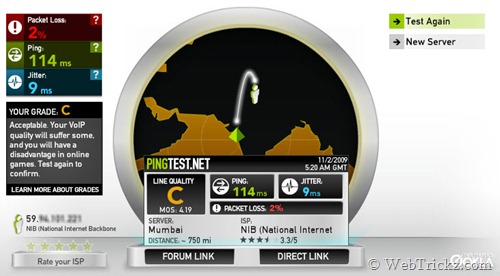
Pingtest.net lets you determine the quality of your broadband Internet connection. It has a cool interface and offers a 1 click test. Pingtest checks and shows the specific packet loss, ping and jitter values. These values are used to make up grade from A to F.

Pingtest results

This test is mainly for users engaged in Streaming media, voice, video communications, and online gaming who require more than just raw speed.

Test your connection now and share your Pingtest.net rating with us!

Source : www.webtrickz.com

Google Adsense Account Banned? See here for how to get a Google Approved Adsense account with your name and address.. See this website for more details. http://googleadsenseaccount.wordpress.com/


If you enjoyed this post, make sure you subscribe to my RSS Feeds !!

If you enjoyed this post, make sure you subscribe to my E-NewsLetter !!

Also follow me at twitter to know what I am doing.

Posted By: KirubaKaran

Microsoft Certified Technology Specialist